
Insurance
Where this process begins.
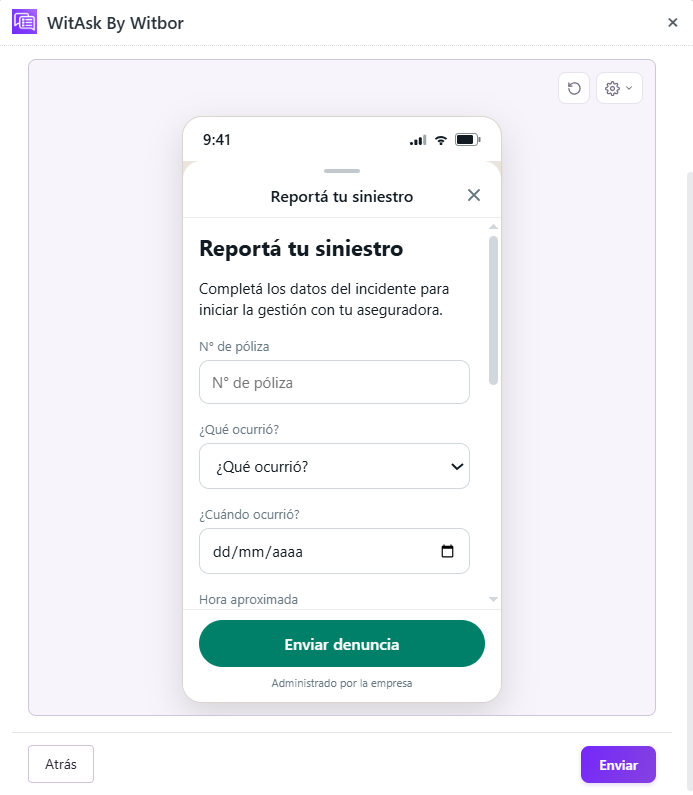
An incident has occurred, but the details needed to open a claim have not been collected. The team needs the policy number, what happened, when and where it happened, an account of the event, whether third parties were involved, and whether a police report was filed. Gathering this by phone while the policyholder is under stress slows the process.
For insurers and brokers that need to start handling a claim without a long phone call.
Process map
From the initial need to the team’s next step.
- A need arisesThe person needs to start a request or report what happened.
- Initial messageThe policyholder reports an incident on WhatsApp.
- Guided questionsThrough a WhatsApp Flow, WitAsk collects the details needed for the claim: policy, circumstances, account of the incident, and third parties.
- Start handling the claimThe information reaches Zendesk in a structured format so the claims team can review the report and begin handling it.
Industry details
What the team needs to know.
Policy number and type of incident.
Date, approximate time, and location.
Account of the incident, other people involved, and police report.
Case follow-up
The information arrives ready for action.
An incident becomes an organized claim report, ready for the team to begin handling. The answers are gathered so the responsible team can review the case and decide what to do next.
The fields and next step depend on the insurer's configuration.
Other situations
Ways to adapt the workflow.
Replace collision details with the type of damage, such as theft, fire, or water.
Add questions about medical care received.
Skip questions about other people involved.
Featured case in action
An example of the complete workflow.
- Initial message
The policyholder reports an incident on WhatsApp.
- Guided questions
Through a WhatsApp Flow, WitAsk collects the details needed for the claim: policy, circumstances, account of the incident, and third parties.
- Start handling the claim
The information reaches Zendesk in a structured format so the claims team can review the report and begin handling it.
- Policy no.
- 88452-A
- What happened
- Collision
- Date
- September 15
- Location
- Rivadavia Ave. and Bolívar St.
- Third parties involved
- Yes
- Police report
- Yes
- Next step
- Open the case file
The fields and next step depend on the insurer's configuration.