
Healthcare
Where this process begins.
The appointment is booked, but the clinician has no context before the visit. The care team needs to know the reason for the visit, whether the patient has consulted about it before, current symptoms and their duration, medications, and allergies. Collecting this during the appointment takes time away from care.
For clinics and practices that want to make better use of consultation time with organized information in advance.
Process map
From the initial need to the team’s next step.
- A need arisesThe person needs to start a request or report what happened.
- Automatic invitationOnce the appointment is confirmed, the patient receives the pre-visit form.
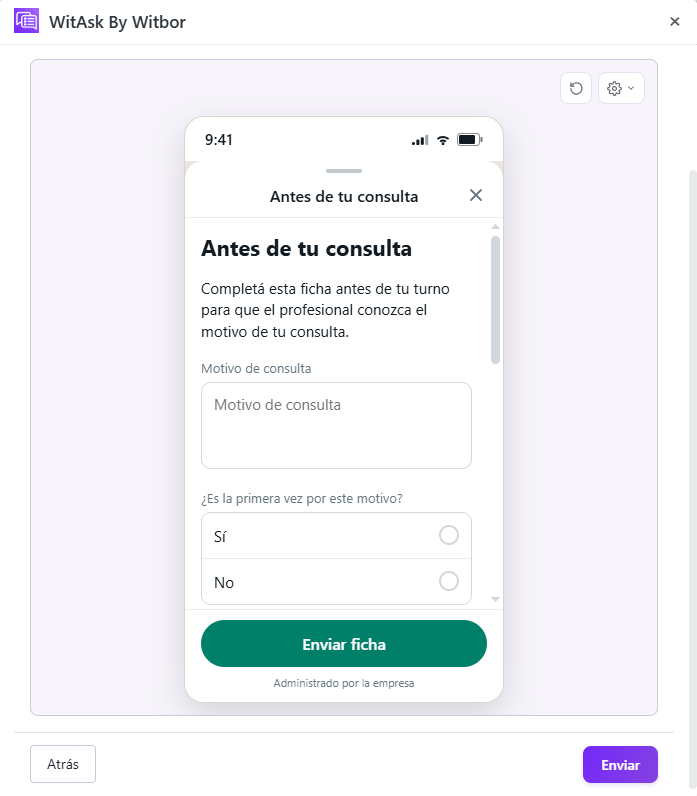
- Guided questionsThe patient completes a WitAsk WhatsApp Flow with the reason for the visit, symptoms, medication, and allergies.
- A visit with contextThe information is organized in Zendesk so the clinician or the team can find the complete form before seeing the patient.
Industry details
What the team needs to know.
Main concern and whether this is the first visit for it.
Symptoms and how long they have been present.
Current medication and allergies.
Case follow-up
The information arrives ready for action.
A medical visit starts with the relevant clinical information available before the patient arrives. The answers are gathered so the responsible team can review the case and decide what to do next.
The fields and destination of the form depend on the healthcare center's configuration.
Other situations
Ways to adapt the workflow.
Add details about the responsible adult and the child's weight and height.
Focus on changes since the last appointment.
Tailor the symptom options to the specialty.
Featured case in action
An example of the complete workflow.
- Automatic invitation
Once the appointment is confirmed, the patient receives the pre-visit form.
- Guided questions
The patient completes a WitAsk WhatsApp Flow with the reason for the visit, symptoms, medication, and allergies.
- A visit with context
The information is organized in Zendesk so the clinician or the team can find the complete form before seeing the patient.
- Reason for visit
- Persistent lower back pain
- First visit for this issue
- No
- Symptoms
- Pain, difficulty moving
- Since when
- More than a week
- Current medication
- Occasional ibuprofen
- Allergies
- None
- Next step
- Visit with the clinician
The fields and destination of the form depend on the healthcare center's configuration.