
Starting point
An inquiry that needs context.
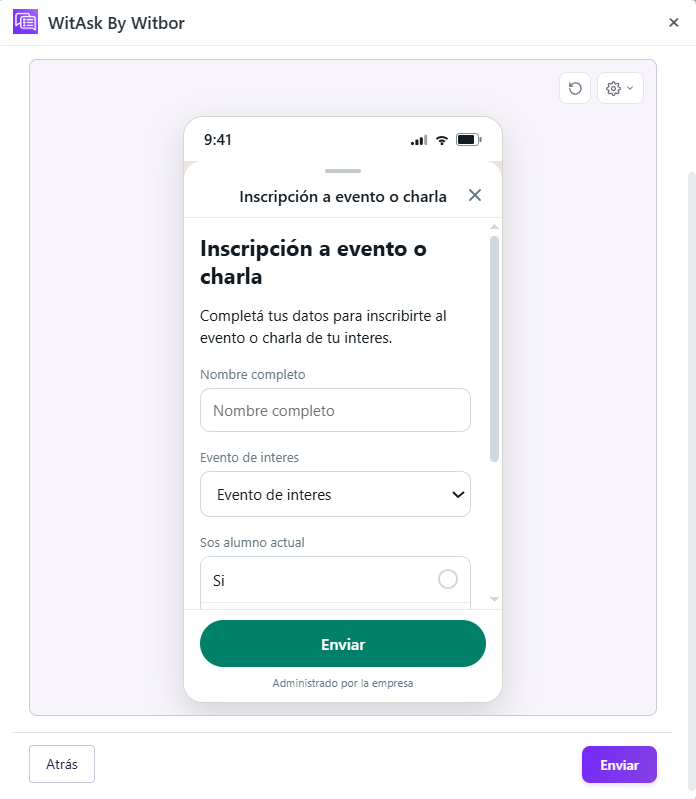
Someone wants to attend, but their registration details still need to be collected. The organizer needs to know who is attending, which event, whether they are a student or member of the public, how many guests they will bring, and how they heard about it. Separate messages make it harder to build the attendee list.
WitAsk organizes the first exchange so the team can move forward with the information it needs, without asking for the same details across separate messages.
What to ask
Three groups of details to move forward.
Full name and whether they are a current student.
Event or talk and number of guests.
The channel that brought them to the event.
The workflow
From the first message to a request ready for review.
- Initial message
The person asks to register for an event.
- Guided questions
WitAsk collects the event, student status, guests, and contact channel.
- Attendee list
The organizer receives a registration ready for place confirmation.
Resulting ticket
What the received information could look like.
- Full name
- Lucía Fernández
- Event
- Career guidance talk
- Current student
- No
- Number of guests
- 1
- How they heard about it
- Next step
- Confirm availability
The fields and next step depend on the organizer's configuration.
Adaptation
One use case can take different paths.
Check availability before confirming registration.
Add a payment confirmation step.
Ask about the device they will use instead of guests.
For institutions and event organizers that need an attendee list without manual spreadsheets.